Detecting and Handling Anti-Scraping Measures in Production
Learn which detection layer blocked your scraper and how to fix it.
A scraper that works in a demo usually fails in production in a quiet way, and the retrieval layer ingests incomplete or challenge-page content, degrading answer quality without any visible signal of failure. Nobody gets paged. Nothing crashes. For a RAG system or an LLM pipeline, that's the expensive failure mode: not a hard stop, but a slow poisoning of whatever gets built on top of the scraped data.
The demo usually hides the real difficulty. It's hitting a target with light defenses, at low volume, for a few minutes at a time. Production means something else entirely: harder targets, higher concurrency, and sessions that stay open long enough for a site to accumulate signals about the client making the requests. A demo never runs long enough to get caught. Production does.
The bar has also moved. Rotating IP addresses and setting a believable User-Agent string was often enough to get past basic protection back in 2021. That approach now fails within seconds against any serious anti-bot layer in 2026. Demand explains a lot of the shift: a growing share of scraping traffic now feeds LLM pipelines, RAG systems, and autonomous agents, and that pressure has pushed defenders to harden their detection systems faster than at any point before.
None of this is random bad luck. Every block traces back to a specific, identifiable layer in a detection stack, and every layer has a matching failure signal and a matching fix. The rest of this piece maps that stack, layer by layer, so a block becomes a diagnosis instead of a mystery.
Anti-bot scoring across five coordinated layers
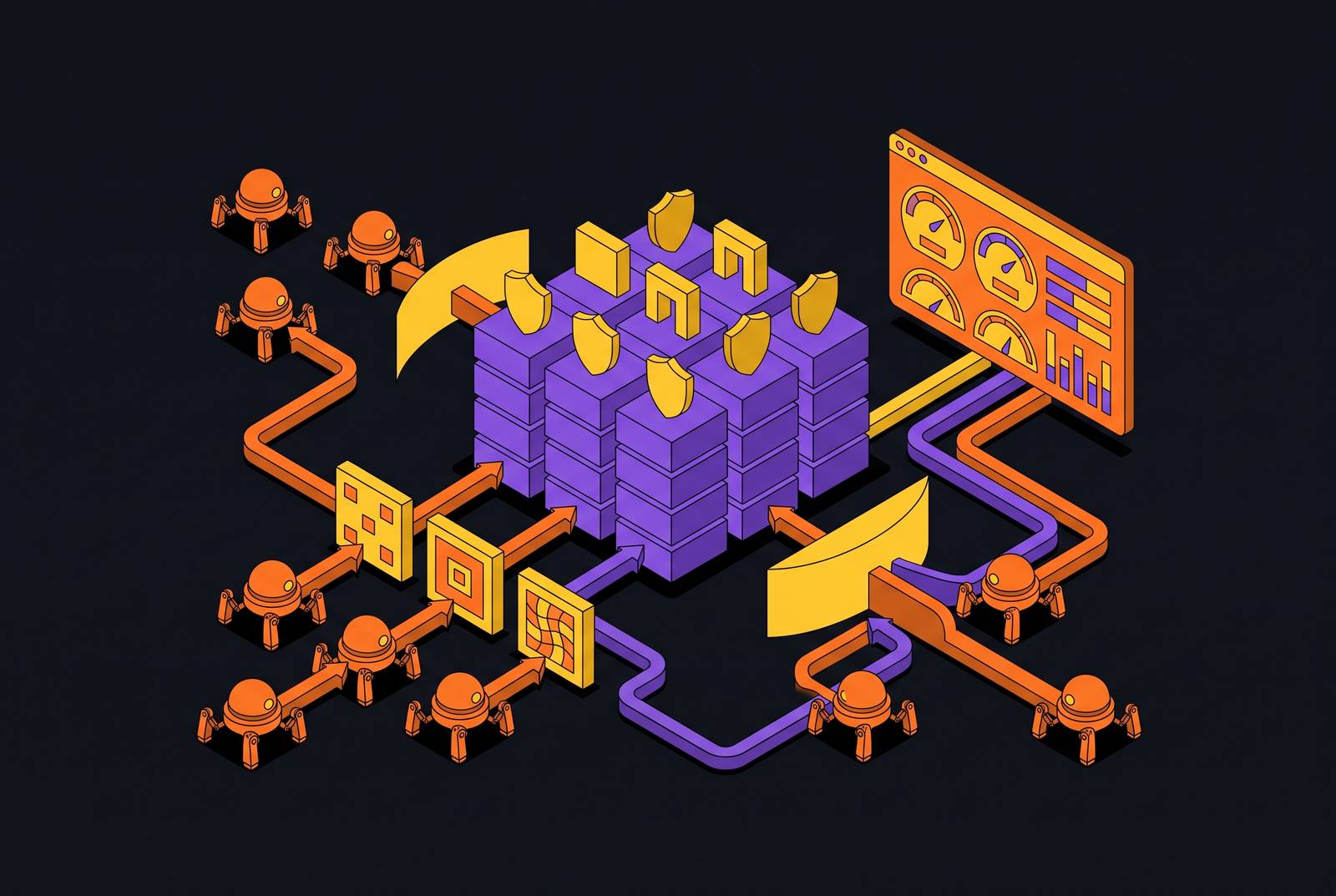
Anti-bot systems don't run a single pass/fail check. They accumulate a trust score from several signal groups, and a request gets challenged or blocked once enough weak signals stack up against it, even if no individual signal would have triggered a block on its own. Three broad groups feed that score: network, client, and behavior. Here's how those groups break down into five layers, in the order a site typically evaluates them.
Layer 1 is network and IP reputation. Datacenter IPs from providers like AWS, DigitalOcean, and Linode fall in known CIDR ranges, so they get flagged the moment a request arrives. Sites also score the ASN behind an IP, the request rate coming from it, and how well its geographic location lines up with everything else the request claims about itself.
Layer 2 is TLS and HTTP/2 fingerprinting, which fires before a site ever sees a line of HTML. Every HTTPS handshake produces a ClientHello message, and from its cipher suites, extensions, and (for the JA3 method) their order, a server derives a JA3 or JA4 hash that identifies the client making the request. Python's requests library produces a JA3 fingerprint that's instantly recognizable as non-browser traffic. HTTP/2 carries a parallel signature in its frame ordering and SETTINGS values. Akamai rolled out JA4 in 2026 specifically to extend this fingerprinting to TLS 1.3 and QUIC traffic.
Layer 3 kicks in once a page actually runs JavaScript. At that point a site can read canvas output, the WebGL renderer string, audio fingerprints, installed fonts, and the navigator.webdriver flag that automation tools set to true by default. Headless Chrome has historically reported a renderer called SwiftShader here, an immediate red flag, though recent Chrome versions have moved away from that automatic fallback. Detection also checks whether all these signals agree with each other across a session: a canvas fingerprint that reads "Windows" while the headers claim "Mac" raises the score on its own. Browser fingerprinting touches a long list of attributes, and consistency across all of them matters more than any single value.
Layer 4 is behavioral. Vendors like Kasada and DataDome run JavaScript collection scripts that log mouse movement coordinates, scroll acceleration, the timing between clicks, and keyboard event sequences. Real users produce messy, inconsistent telemetry. Scripts tend to produce either dead-straight movement traces or none at all, and a scraper that sleeps for a fixed two seconds between requests gets flagged precisely because that timing is too clean to be human.
Layer 5 is honeypots: anchor tags built into a page's HTML and hidden from human visitors with CSS. A scraper that follows every link on a page without checking its computed visibility walks straight into these traps and earns an automatic block.
Reading the failure signal: what each block type tells you about which layer fired
The shape of a block is information. The way a request fails tells you which layer in the stack flagged it, and that mapping is often exact enough to skip straight to a fix.
An instant 403 on the very first request, before any content loads, points to Layer 1 or Layer 2: the IP's reputation or the TLS handshake gave the scraper away before a single byte of HTML got served.
A page that loads fine in a real browser but returns a 403 through Python's requests library is almost always a TLS fingerprinting problem. It's the textbook symptom of a handshake that doesn't match what a genuine browser sends.
A 429 "Too Many Requests" response means the rate and timing layer caught the request. Request velocity from that IP crossed the site's threshold.
Blocks that show up mid-session, after a run of earlier successes, usually mean IP reputation built up over time or behavioral analysis caught on partway through the session.
A JavaScript challenge page, a Cloudflare Turnstile screen or a DataDome interstitial, means the browser fingerprint or behavioral layer pulled the trust score low enough to trigger an active challenge instead of a hard block.
An endless CAPTCHA loop, where solving one just produces another, means the underlying signals (IP, fingerprint, behavior) are still negative. Solving the CAPTCHA treats the symptom, not the cause.
Empty or partial content returned alongside a 200 status code usually means a honeypot fired or the JavaScript never actually executed. The response looks successful structurally, but the payload itself is a detection artifact.
Once the symptom points to a layer, the fix follows directly. The next section runs through countermeasures for each one.
Countermeasures matched to each detection layer, in order of implementation cost
Each layer in the detection stack has its own countermeasure, and cost rises fast as you move up the stack. Working from Layer 1 upward keeps effort proportional to what a given target actually demands, rather than reaching for the most expensive fix by default.
Layer 1 starts with the IP itself. Datacenter IPs don't survive contact with any serious anti-bot system. Proxy quality runs on a hierarchy: datacenter IPs for testing only, then shared residential, then dedicated residential, then mobile exit nodes over 4G or 5G, which carry the cleanest signal of the four. IP rotation alone isn't enough, though. A single session firing off many requests in a short window is an obvious bot signal no matter how clean the proxy is, so sessions, cookies, and headers need to reset together as a unit, a pattern sometimes called a RotatingSession. Geography needs to line up too: if the proxy IP claims Germany, the Accept-Language header and other geo signals should be consistent, since ML-based systems flag unusual Accept-Language headers for the claimed geography.
Layer 2 covers TLS and HTTP/2. The single highest-leverage fix here is curl_cffi, a Python library that mimics Chrome's full TLS stack, including cipher suite order and HTTP/2 SETTINGS frame values. That one change alone gets past a significant share of detection systems and rates as an "Easy" implementation. It needs company, though: a request also needs the full header set a real browser sends, including Accept, Accept-Language, Accept-Encoding, Connection, Upgrade-Insecure-Requests, and the Sec-Fetch-* family, since a missing header from that list is itself a bot signal. Even casing changes the signal: Content-Type and content-type read as different headers to a system checking header formatting. Layer 3 countermeasures address browser fingerprinting.
Launching a headless browser with headless=True and no stealth patches gets detected in under a second. undetected-chromedriver is a legacy patch that still works against basic protection, but advanced anti-bot systems have learned to detect it, which has pushed teams toward alternatives like nodriver, Camoufox, and curl_cffi. Playwright paired with a stealth plugin closes off the main leaks: it sets navigator.webdriver to undefined through a Proxy object, adds a believable plugins array, defines window.chrome, and patches canvas rendering. Camoufox, a hardened Firefox fork, spoofs and rotates fingerprints at the C++ level, without JS injection, making it harder for a detection system to build a stable profile of the client across a session. A realistic WebGL renderer string matters too, since headless Chrome's default SwiftShader string is an immediate flag. None of it works in isolation: OS, GPU, fonts, canvas output, and headers all need to tell the same story, because one inconsistent value undermines everything else.
Layer 4, behavior, is where timing and interaction patterns get scored. A fixed time.sleep() call needs to go, replaced by a base delay with Gaussian noise layered on top so timing looks variable instead of machine-precise. Rate limiting should adapt to what the site is telling you: on a 403 or 429 response, multiply the current delay sharply, and on sustained success, gradually reduce it, which mirrors how a cautious person would adjust their own pace. Session depth matters as well. A bot that lands directly on a target page and leaves reads very differently from one that visits a homepage, browses a category, and clicks through a few items first. For anything requiring mouse input, pre-recorded real movement traces replayed with slight randomization work better than synthetic paths, since too-perfect mouse movements, including movement that overcorrects for jitter, are themselves a flag in systems like Cloudflare Bot Management.
Layer 5 uses honeypots: anchor tags placed in page HTML with CSS rules that make them invisible to human visitors, and scrapers that follow all links without evaluating computed visibility activate these traps and receive an automatic block. Before a scraper follows or clicks any link, it needs to check the element's computed CSS, its display, visibility, opacity, and dimensions, to confirm it's actually visible. Skipping that check means a scraper will eventually follow a hidden honeypot link and trigger an automatic block.
No single layer's fix stands on its own. A scraper with a flawless TLS fingerprint and a sloppy proxy still gets caught at Layer 1, and one with great proxies and machine-perfect timing still gets caught at Layer 4. All five need attention.
DIY layering's ceiling and the case for managed APIs
A fully layered DIY stack is technically viable but carries ongoing maintenance cost that compounds as detection systems evolve. The maintenance bill grows every time a detection vendor ships an update, and at a certain point that ongoing cost makes a managed scraping API the more sound engineering call.
The case for DIY is straightforward: combine curl_cffi, Playwright with stealth plugins, residential proxies, and a CAPTCHA solver, and the resulting stack gives full cost control and full customization, using exactly the techniques covered in the previous section. For a lot of targets, that's the end of the story.
The ceiling appears when the target runs Cloudflare Bot Management or Akamai Bot Manager, which use ML models continuously trained on billions of daily requests and require holistic consistency across every layer, so no single patch gets a scraper through. Scale is the second trigger: pushing concurrency high enough turns proxy management and fingerprint rotation into a full-time infrastructure job. Bandwidth is the third: stealth patches age fast, and a team that can't keep up with detection updates will watch a working scraper quietly degrade.
Cost is the honest counterargument to managed APIs. LLM-based extraction adds inference cost on every page processed, which makes a managed LLM-extraction service a better fit for targeted, high-value pulls than for crawling at massive scale. The blunter version of the argument: an AI scraper running in production will return empty JSON the moment a site throws real anti-bot defenses at it, because generating structured output from a page has gotten easy while actually retrieving that page remains the hard part.
What a managed API buys in exchange is coordination. It keeps TLS, HTTP/2, browser, and behavioral fingerprints coherent with each other on every single request, rotates proxies, renders JavaScript, retries failures, and hands back structured output, all behind one API call. That cross-layer coherence is the single hardest thing to sustain in a DIY stack over time.
None of this settles into one universal answer. A practical architecture picks per target: an official API where one exists, a managed scraping API for harder targets, or a DIY scraper where cost and target difficulty favor it, with compliance factored into every choice. For teams leaning toward the managed route, the next question is what actually separates one tool from another.
Evaluating managed anti-bot bypass tools: what distinguishes them at the layer level
Feature comparisons between managed anti-bot tools tend to miss the question that actually matters: which layers does this tool handle, and does it match the target and the concurrency this pipeline needs?
Target protection level matters, since a tool built for basic rate-limiting won't hold up against Akamai Bot Manager or Cloudflare Bot Management, which use ML models continuously trained on billions of daily requests and require holistic consistency rather than a single patch. Scale and concurrency come next: a tool that performs well at low request volume may behave very differently at high volume. Maintenance appetite matters too, since some teams want to own every layer and others want none of it. Structured output format determines how cleanly a tool's results slot into an existing pipeline. Unit economics need the full picture: proxy cost, compute, engineering time, and the waste from failed requests all belong in that number alongside the sticker price of the API call. Legal posture rounds out the list, since compliance requirements vary by target and by jurisdiction.
None of these criteria works in isolation, and that's the same lesson the whole detection stack teaches. A tool that nails fingerprint coherence but ignores unit economics will blow through budget at scale. One that's cheap per request but can't touch a hardened target wastes engineering time on failed calls. The right choice depends on matching a tool's actual layer coverage to what a specific target throws at it, at the volume a pipeline actually runs.
Sources
- How Anti-Bot Systems Detect Scrapers in 2026 (And the 9 Bypasses That Still Work) - DEV Community
- 17 Common Anti-Scraping Mechanisms And How Scrapers Get Around Them
- How modern bot detection works in 2026 (behavior, fingerprinting, ML) - DEV Community
- Anti-Bot Detection: How Cloudflare, DataDome, and PerimeterX Work
- Broken Gates: Re-evaluating Web Bot Defenses in the Age of LLM Agents
- Bypassing Cloudflare in 2026: TLS Fingerprinting Explained | by Olga | May, 2026 | Medium
- 12 Ways Big Websites Prevent Web Scraping | Scrape.do
- What are 402, 403, 404, and 429 Errors in Web Scraping? - DEV Community